
Quick answer
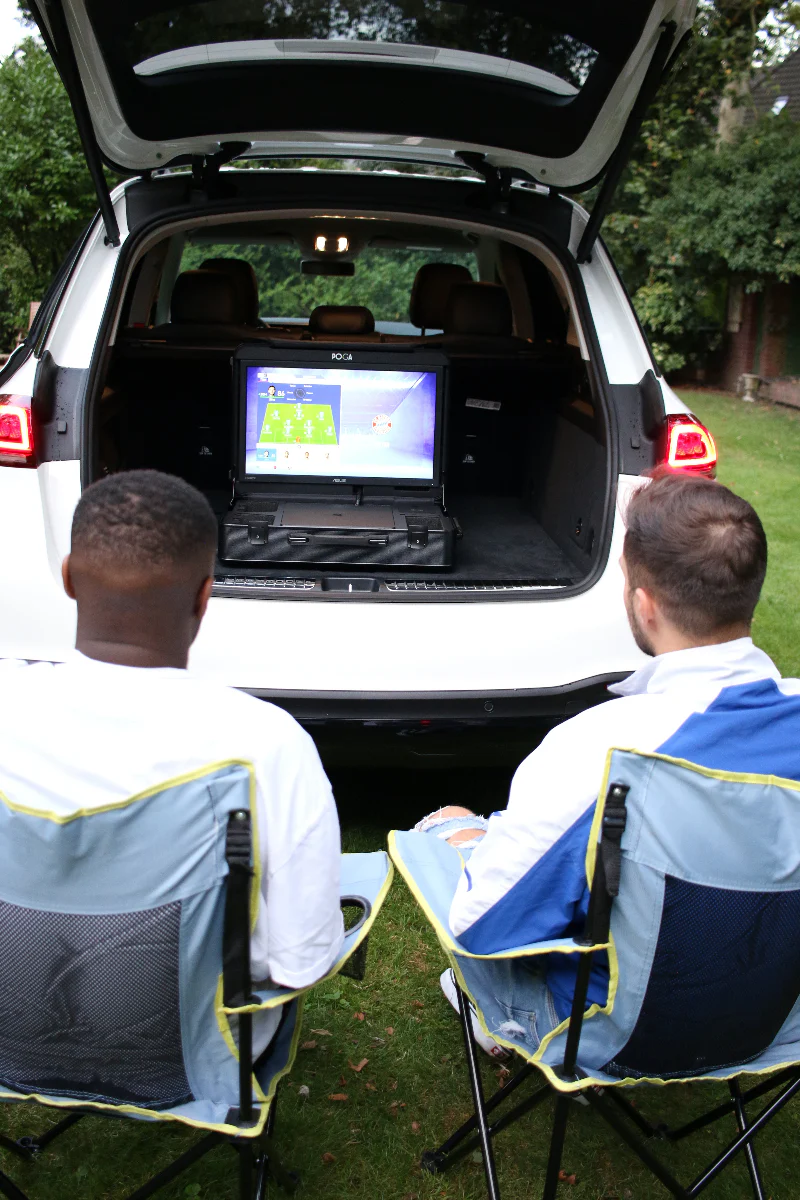
Setting up your POGA station takes about 10–15 minutes the first time. Unbox it, install your console, connect the cables, and power it on. After the initial setup, opening the case and starting a session takes under 5 minutes. Check that the monitor, cooling system, and all connections work properly during your first session, and contact support if anything seems off.
What's in the Box
Your POGA station arrives with everything you need to get started:
| Item | Included |
|---|---|
| POGA station case | Yes |
| Integrated monitor | Yes (built into the case) |
| Internal cables | Yes (pre-connected) |
| Power cable | Yes |
| Documentation | Yes (quick start guide) |
| Trolley system | On select models |
What you need to provide:
- Your console (PS5, Xbox Series X|S, or PC)
- Controllers and accessories
- A power outlet
You do not need any additional tools. Everything required for setup is included.
Before You Start
Before you open the box, do these three things:
1. Choose Your Setup Location
Pick a flat, stable surface — a desk, table, or counter. Avoid soft surfaces like beds or couches where the case can't sit flat.
2. Have Your Console Ready
If your console is new, complete its initial setup on a TV first. It's easier to do the console's first-time setup on a TV than to navigate it through the station. Once it's set up, you can move it into the POGA.
3. Clear Space Around You
You'll want room to open the case fully and access both sides. Give yourself a few feet of clearance.
Step 1: Unbox and Inspect
Open the box carefully. Inside, you'll find:
- The POGA station (in its protective packaging)
- The power cable
- Documentation
Inspect the exterior of the station before opening it:
- Check for any visible shipping damage
- Confirm latches and hinges move freely
- Look for any dents, cracks, or scratches
If you notice any damage, contact support immediately. Don't proceed with setup.
For a closer look at what makes POGA durable, see our post on durability and protection.
Step 2: Install Your Console
Open the case fully. You'll see the internal compartments designed for your console.
For PS5 (POGA LUX, POGA YEZ):
- Slide the console into its molded compartment
- Confirm it sits flush and doesn't rattle
- Connect the internal HDMI and power cables to the console
For Xbox Series X (POGA SLY):
- Place the console into its compartment
- Confirm all connections align with the internal ports
- Secure any retention straps if included
For Xbox Series S (POGA PRO):
- Place the console into its compact compartment
- Connect the internal cables
For PC/Laptop (POGA MAX):
- Place your device in the designated space
- Connect power and display cables
- Confirm airflow isn't blocked
For a full comparison of stations, see our ultimate guide.
Step 3: Connect and Power On
With your console installed:
- Connect the power cable to the station's external power input
- Plug the other end into a wall outlet
- Power on the station using the main switch (if applicable)
- Power on your console
The monitor should turn on automatically and display your console's output. If it doesn't, check the internal HDMI connection.
Tip: If your console doesn't display, try reseating the internal HDMI cable. It should click into place firmly.
For troubleshooting help, see our post on console overheating and troubleshooting.
Step 4: First Boot and Test
Once your console boots and displays on the monitor:
- Pair your controller as you normally would
- Launch a game and play for at least 30 minutes
- Check the monitor for dead pixels, discoloration, or flickering
- Listen to the cooling system — it should run quietly and consistently
- Verify all connections are stable and nothing disconnects during play
If everything works, you're set up. If anything seems off, note the issue and contact support.
For warranty coverage details, see our post on what's covered and what's not.
What to Check in the First 24 Hours
Play for at least an hour in your first session to confirm everything works under load. Here's a checklist:
| Check | What to Look For |
|---|---|
| Monitor | No dead pixels, no flickering, no discoloration |
| Cooling | Fan runs, airflow is unobstructed, no excessive heat |
| Connections | No disconnects, no signal drops |
| Controller | Pairs and stays connected |
| Audio | Works through headset or console output |
| Case | Latches secure, hinges smooth, no rattling |
If any of these fail, contact support immediately. Issues caught early are easier to resolve.
Tips for the First Week
Keep the vents clear. Don't block the airflow openings on the case. The cooling system works best when air can move freely.
Don't overpack the case. The station is designed for the console and standard accessories. Overfilling can block airflow or damage internal components.
Practice setup and teardown. Open and close the case a few times to get familiar with the process. It'll be faster and easier when you're traveling.
Store the power cable in its compartment. The station has a designated spot for the power cable. Use it to prevent tangling and damage.
Wipe down after use. A quick wipe with a dry cloth keeps the exterior clean and prevents dust buildup.
For more maintenance tips, see our post on maintenance and cleaning.
Frequently Asked Questions
The Bottom Line
Your first 24 hours with a POGA station should be simple: unbox, install, connect, play. Setup takes minutes, not hours. The first session should confirm everything works under load — and if it doesn't, support is available to help.
After the first day, the station becomes what it's designed to be: a fast, reliable way to game anywhere. Open the case. Plug in. Play.
Contact our support team