
Portable Gaming Stations: The Ultimate Guide for Gamers On the Go
Discover why portable gaming stations for PS5, Xbox, and gaming PCs have become the hottest gaming accessory trend — and how to pick the right one for your needs.
A portable gaming station has quietly revolutionized how gamers approach their setup, turning a once-stationary hobby into something genuinely flexible. Not long ago, owning a console meant being tied to one room, one TV, and one couch. If you wanted to game at a friend's house, a hotel, a dorm, or your parents' place for the holidays, you either left your setup behind or crammed a console, a monitor, and a tangle of cables into a duffel bag and hoped for the best.
Today, all-in-one cases that combine a built-in monitor, secure console storage, and intelligent cable management into a single travel-ready unit have become one of the fastest-growing categories in gaming accessories. If you're shopping for a gamer in your life, or just curious about the category yourself, understanding portable gaming stations will help you make the right investment.
Portable gaming stations combine protective storage with integrated displays for complete gaming setups on the go.
What Exactly Is a Portable Gaming Station?
A portable gaming station is a rugged, often hard-shelled case built around three essential components: a dedicated slot to securely hold a console or laptop, a built-in monitor that connects directly via HDMI, and organized storage for controllers, cables, and games. Close it up and it looks like an oversized briefcase with wheels. Open it, prop up the lid, plug in a power cable, and you have a complete, self-contained gaming setup in under a minute — no TV, no separate monitor, no searching for an HDMI cable that walked off months ago.
The category covers a surprising range of use cases. Some stations are built specifically to fit consoles like the PS5 or Xbox Series X, with precision foam cutouts shaped to the exact dimensions of the hardware. Others are designed around gaming laptops and mini PCs, prioritizing ventilation and cable routing for higher-performance builds. What they all share is the core promise: pack it once, and everything you need to play is already inside.
Why Portable Gaming Stations Are Exploding in Popularity
Several converging forces are pushing portable gaming stations into the mainstream market.
Consoles Got More Powerful, Living Situations Didn't Get More Stable
Between college students moving in and out of dorms, young professionals in shared apartments, and families splitting time between homes, many gamers no longer have one permanent setup. A portable station solves the "where do I even plug this in" problem instantly.
LAN Parties and Competitive Gaming Are Back
Local esports meetups, tournament nights, and gaming sessions have seen real resurgence. Nothing kills momentum faster than unplugging someone's TV to bring over a console. Self-contained stations mean showing up plug-and-play.
Gift Shoppers Want Substantial Purchases
For birthdays, graduations, and holidays, a portable gaming case reads as a thoughtful, bigger-ticket gift while remaining understandable for shoppers who aren't deeply technical.
Travel and Hybrid Lifestyles Demand Better Protection
Road trips, military deployments, business travel, and van life have all increased demand for gear built to genuinely survive being moved — not just a console shoved into a backpack.
Portable Gaming Stations: Pros and Cons
Pros
- ✓All-in-one solution eliminates cable clutter and setup time
- ✓Premium protection for expensive gaming hardware
- ✓Dust-proof and weather-resistant storage
- ✓Genuine portability with handles and wheels
- ✓Perfect for travel, tournaments, and gaming events
- ✓No dependency on host TV or display availability
Cons
- ✗Significant upfront investment compared to console alone
- ✗Built-in monitors smaller than typical TV displays
- ✗Weight can be substantial for frequent movers
- ✗Model-specific designs limit hardware flexibility
- ✗Monitor upgrade not possible without new case
- ✗May feel like overkill for stationary gamers
Comparing Popular Portable Gaming Stations
Different portable gaming stations cater to different needs and budgets. Here's how the most popular options compare:
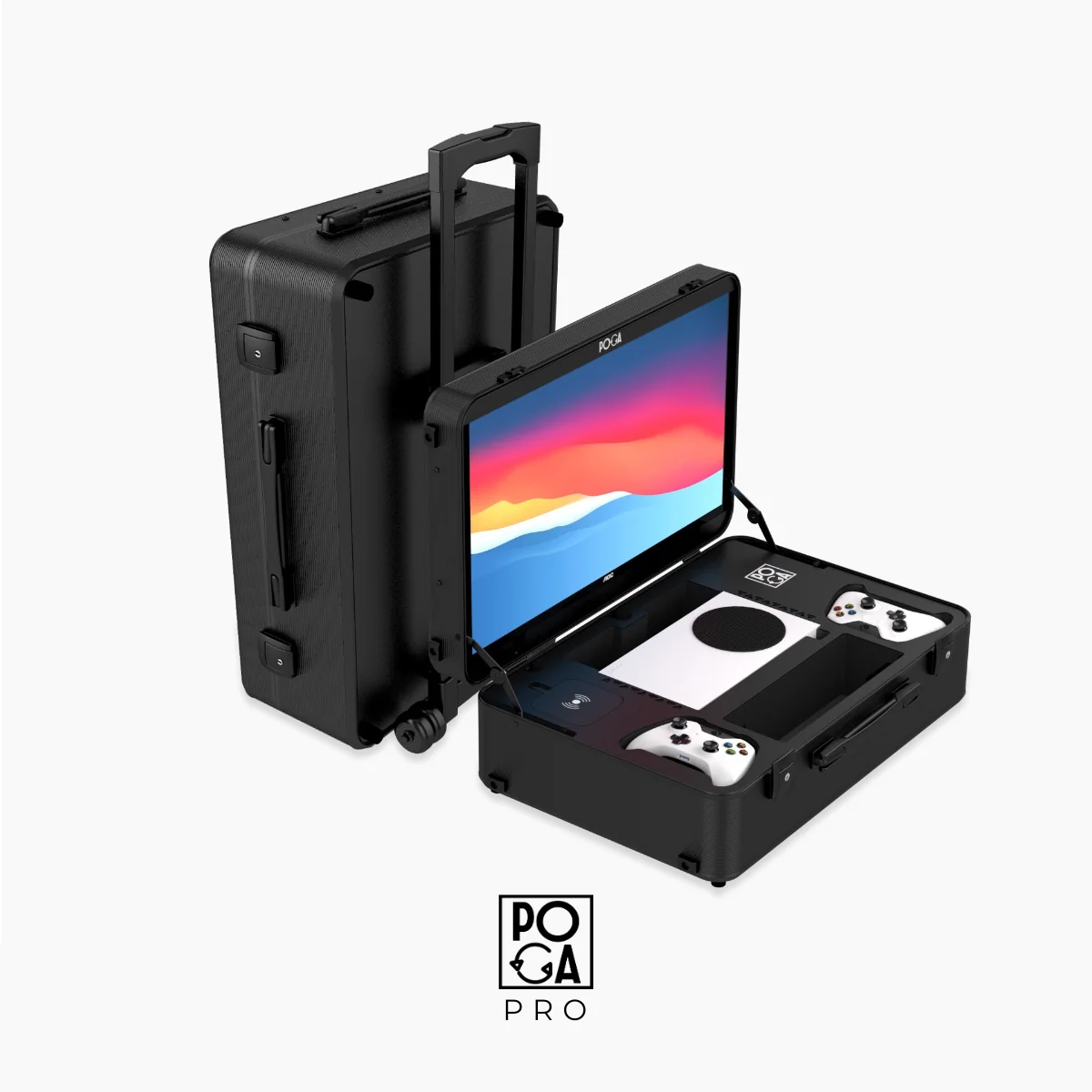
POGA Pro
Best for: Xbox and PS4 gamers wanting a premium all-in-one travel setup
- Display: 24" IPS Full-HD with 180Hz refresh rate
- Compatibility: PS4, PS4 Pro, Xbox One X, Xbox Series S
- Weight: Premium materials, moderate weight
- Storage: Extensive compartments for keyboard, mouse, controllers
- Best For: Competitive gamers, PC builders, frequent travelers
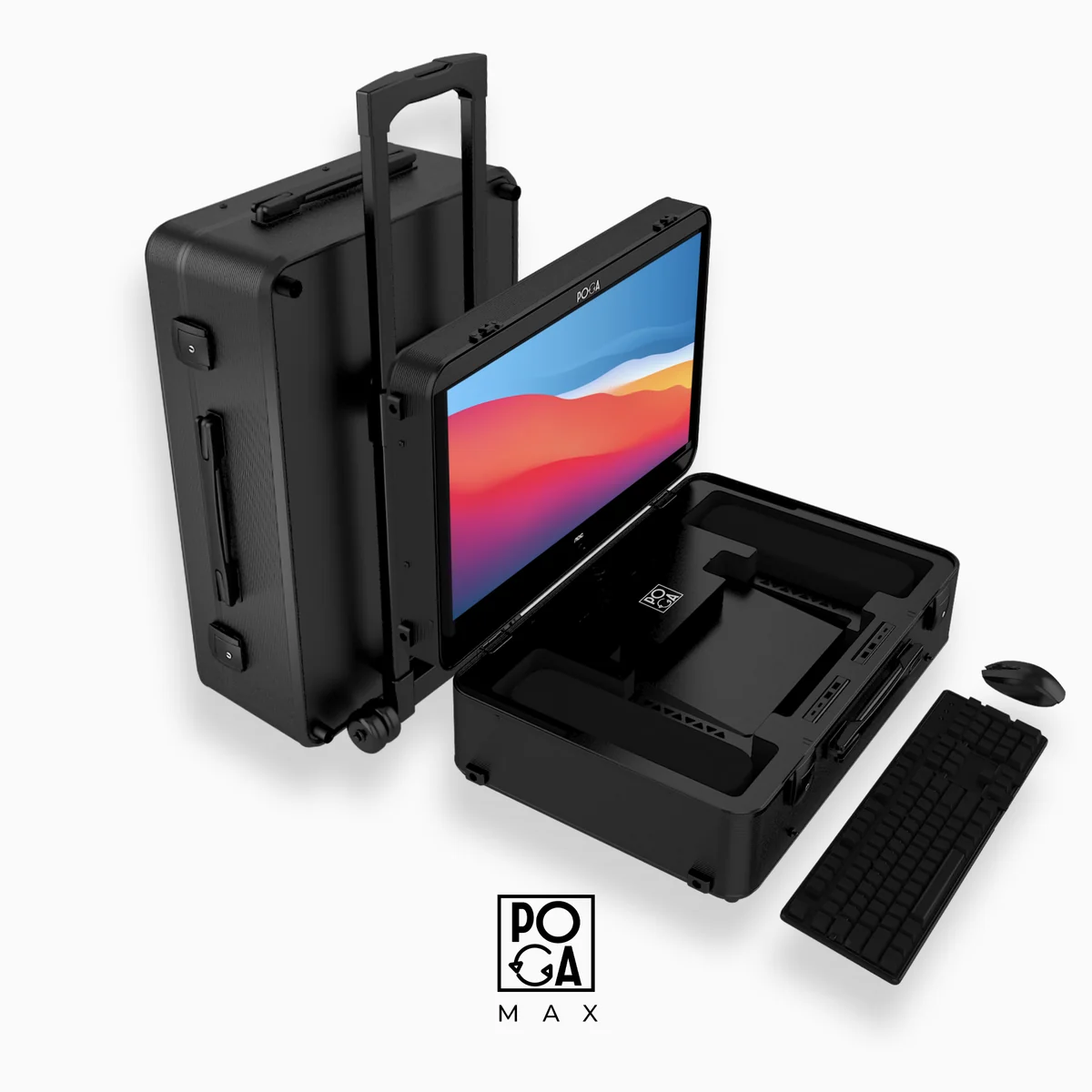
POGA Max
Best for: Power users and professional setup requirements
- Display: Largest built-in monitor available, full external peripheral support
- Compatibility: Built-in Terra Elite Ultra Mini PC
- Weight: Heavier, includes premium wheels and handles
- Storage: Modular compartment system for custom organization
- Best For: Tournament players, content creators, pro gamers
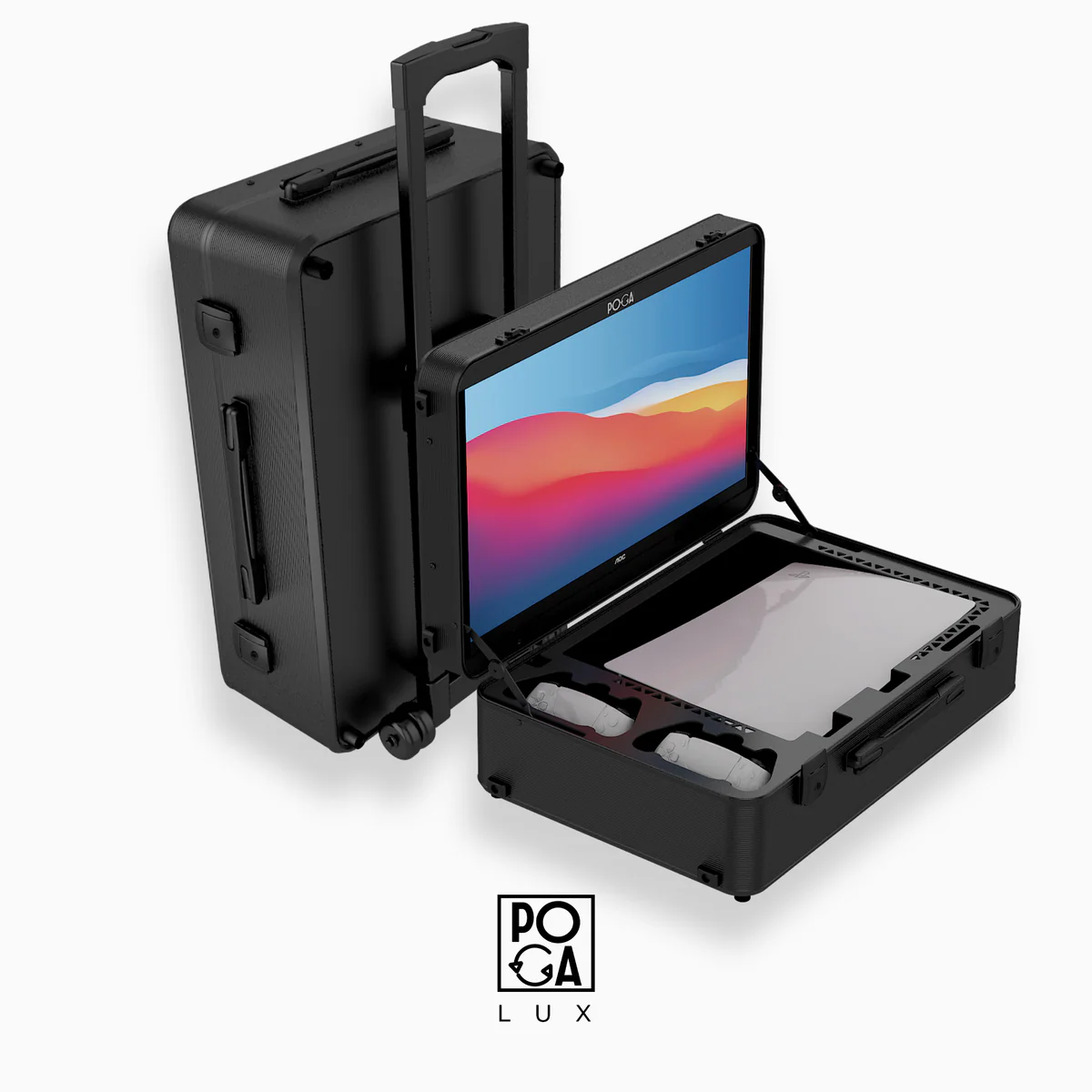
POGA Lux
Best for: Console gamers seeking premium features without excessive size
- Display: 24" Full-HD with excellent color accuracy
- Compatibility: PlayStation 5 (all versions)
- Weight: Balanced between portability and features
- Storage: Precision-fit interior for console and two controllers
- Best For: Console gamers, casual travelers, dorm rooms
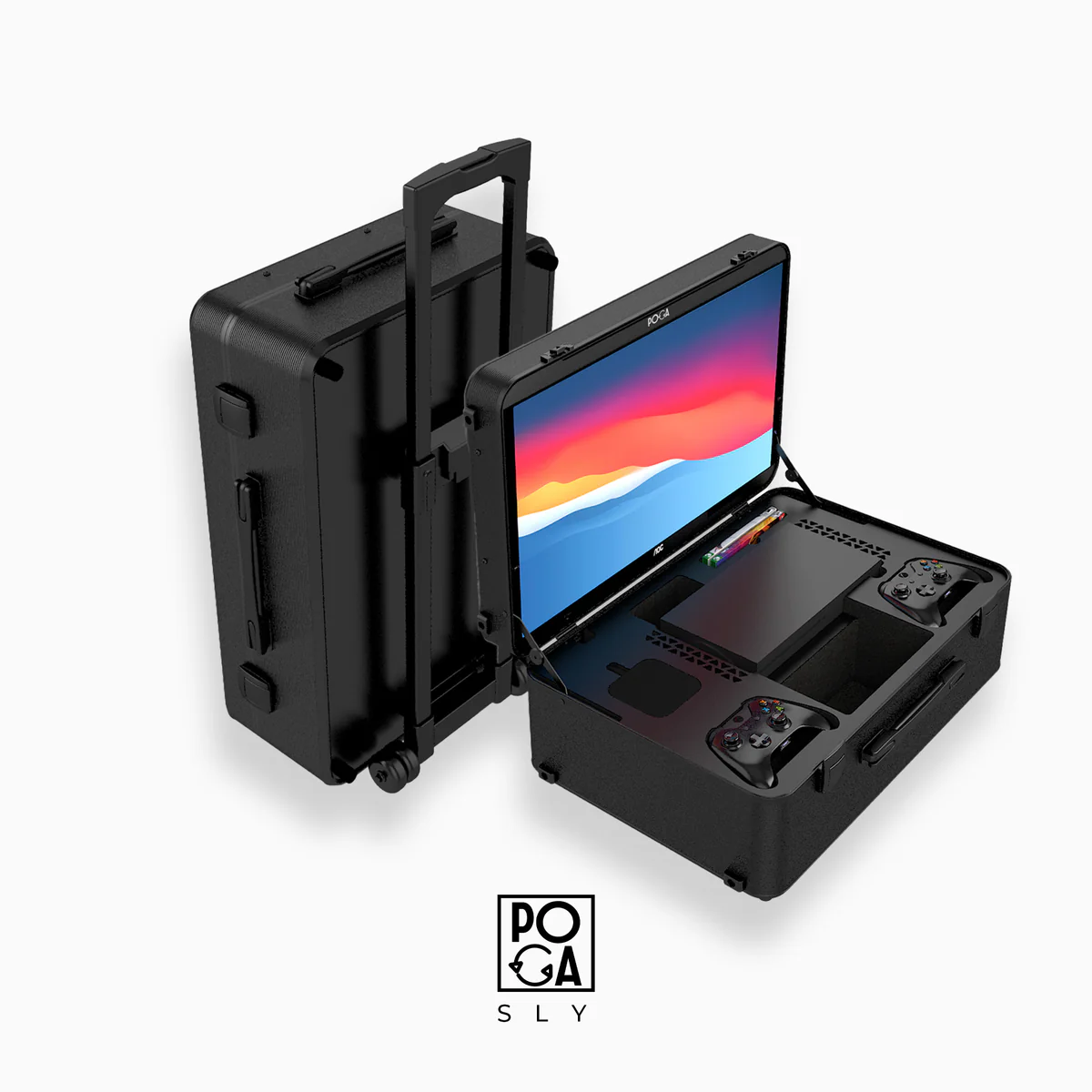
POGA Sly
Best for: Xbox Series X owners wanting premium build quality and travel-ready protection
- Display: 24" IPS Full-HD at 180Hz
- Compatibility: Xbox Series X
- Weight: Lightest option, true portable form factor
- Storage: Essential accessory compartments
- Best For: Xbox Series X owners wanting premium build quality and travel-ready protection
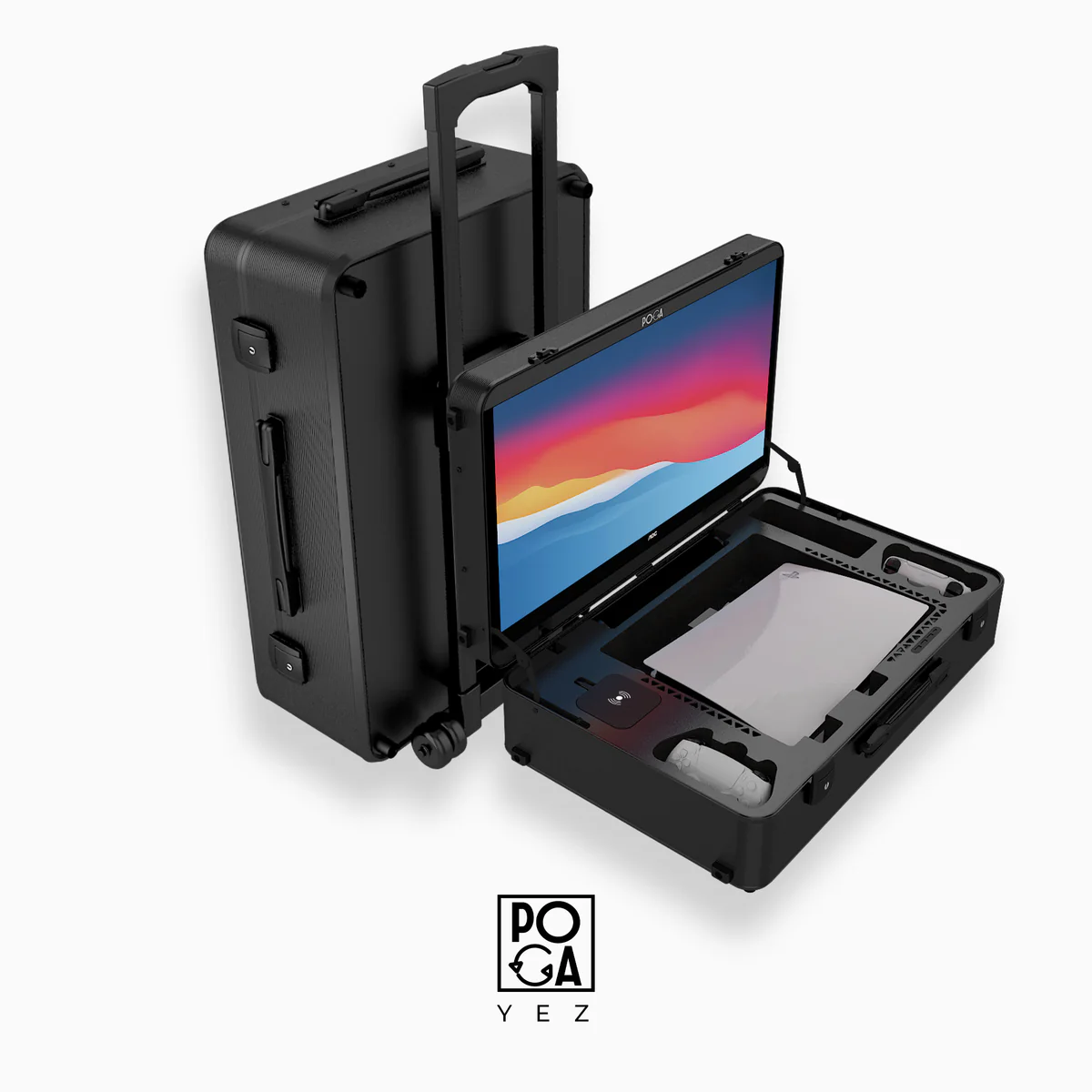
POGA Yez
Best for: Professionals and enthusiasts wanting premium display quality
- Display: 27" 4K display with professional color grading
- Compatibility: PlayStation 5 (all versions)
- Weight: Premium build with professional handling
- Storage: Professional-grade cable management
- Best For: Content creators, professional gamers, studios
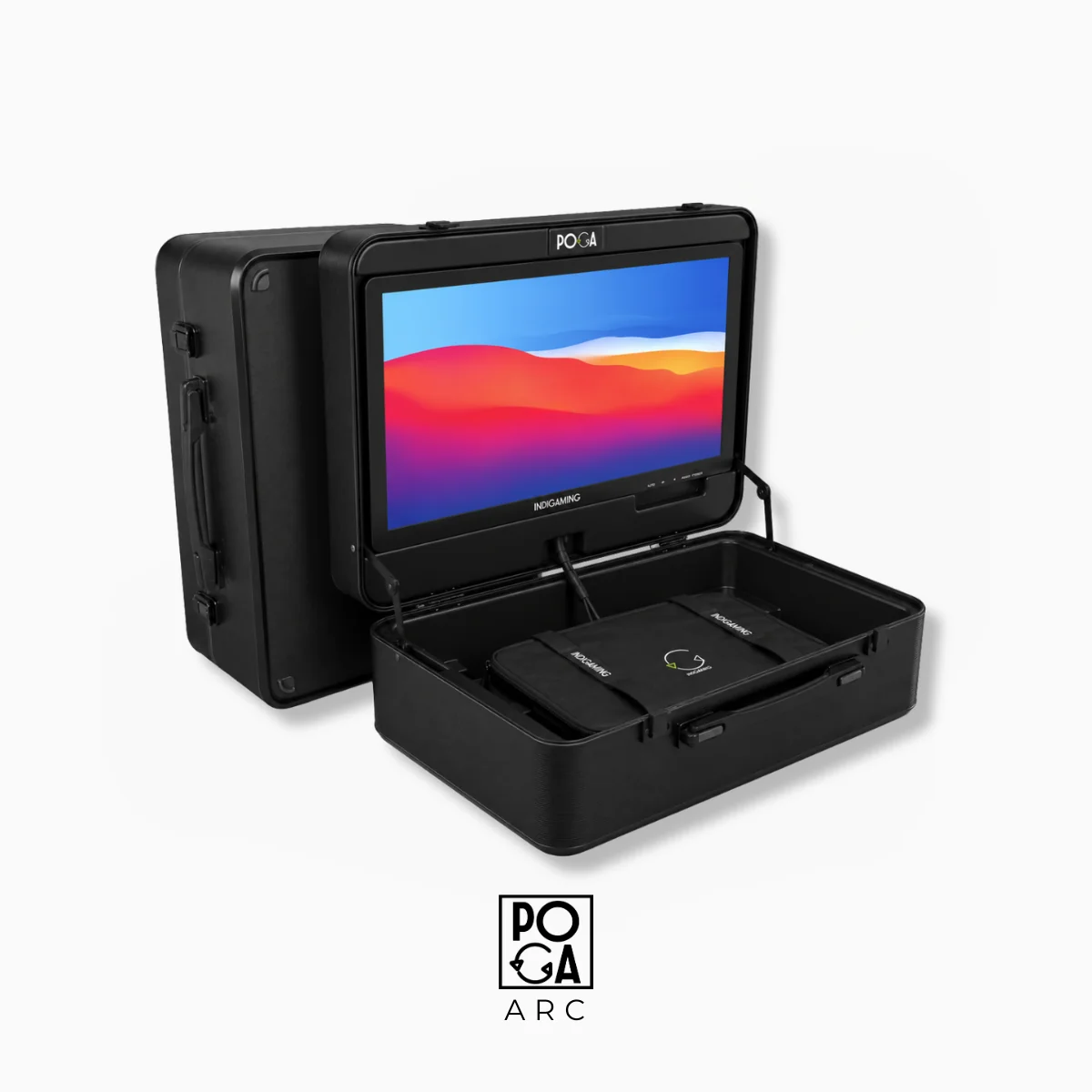
POGA Arc
Best for: Budget-conscious gamers entering the portable gaming space
- Display: 19" HD display at 60Hz
- Compatibility: PS5 (all versions), Xbox Series S, Xbox One X, PS4 Slim, PS4 Pro
- Weight: Lightweight, most portable option
- Storage: Basic compartments for essentials
- Best For: Students, casual gamers, introductory purchase
What to Look For Before You Buy
If you're shopping this category for the first time, a few features separate a genuinely useful portable gaming station from an overpriced box.
Console and PC Compatibility
Check that the case is sized for your specific hardware — PS5 (original or Slim), Xbox Series X or S, or a gaming laptop/mini PC — since interior foam cutouts and port cutouts are usually model-specific.
Monitor Quality and Refresh Rate
Built-in displays vary widely, from basic 720p panels to sharp 1080p and higher-refresh-rate screens. For competitive or fast-paced games, a higher refresh rate and lower input lag matter far more than raw resolution.
Durability and Protection
Look for hard-shell or reinforced construction, shock-absorbing foam interiors, and water- or dust-resistant materials. This is what separates a true travel case from a glorified backpack.
Cable and Accessory Storage
The best stations have dedicated, padded compartments for controllers, headsets, charging cables, and game discs, so nothing rattles around loose or gets left behind.
Power and Connectivity Options
Some stations only power the monitor, meaning the console still needs its own outlet; others include built-in USB hubs or power routing for a truly one-cable setup. If simplicity is the goal, this detail matters.
Weight and Portability Features
Handles, wheels, and a manageable overall weight make a real difference if the case is actually going to be carried through an airport or up flights of stairs, rather than just sitting in a closet.
Who Makes the Perfect Recipient for a Portable Gaming Station
Portable gaming stations aren't just for hardcore gamers — they suit a wider range of people than most tech gifts:
- →The college student or new mover: Perfect for anyone who moves frequently and needs a gaming setup that survives being packed into a car.
- →The traveler or frequent flyer: For those who want console-quality gaming without relying on a hotel TV or rental property's audio setup.
- →The competitive gamer or LAN party regular: Gamers who need to show up plug-and-play with their whole rig intact for tournaments and events.
- →The parent buying for a teen: These cases double as sturdy, kid-proof protection for expensive gaming hardware that justifies the investment.
- →The deployed service member or long-term traveler: For those on extended trips where a rugged, self-contained setup is genuinely practical rather than a novelty.
Gaming Performance and Experience in Portable Stations
One common concern gamers have is whether portable gaming stations deliver the same performance and experience as traditional setups. The answer depends on the model, but modern portable gaming stations have closed the gap significantly.
Display Performance and Refresh Rates
Entry-level portable stations offer 60Hz displays sufficient for single-player gaming and casual multiplayer. Models like the POGA Pro and Lux feature 180Hz displays that exceed typical competitive gaming requirements. High refresh rates reduce input lag and provide smoother visuals during fast-paced gameplay, making them comparable to gaming monitors you'd connect to a stationary setup. Response times typically range from 1-5ms, which is competitive with dedicated gaming monitors in the same price range.
Resolution and Visual Quality
Most portable gaming stations offer 1080p resolution as standard, with some premium models supporting 1440p or higher. This resolution is sharp enough for most screen sizes and gaming scenarios. Color accuracy varies by model, but quality portable stations achieve 90%+ sRGB coverage, making them suitable for both gaming and some creative work. The IPS panels found in better models provide superior color accuracy and viewing angles compared to cheaper TN panels, resulting in a more immersive experience regardless of seating position or lighting conditions.
Audio Experience and Speaker Quality
Built-in speakers in portable stations range from adequate to surprisingly good. Most include stereo speakers providing basic audio for gaming and movies. Premium models feature deeper bass response and higher volume levels. However, for competitive gaming where directional audio matters, using headphones or connecting quality external speakers is still recommended. The ports on most portable stations support HDMI audio output, optical audio, and 3.5mm jack connections, giving you flexibility to add external audio without additional adapters.
Connectivity and Input Lag
Input lag—the delay between pressing a button and seeing the result on screen—is critical for competitive gaming. Quality portable gaming stations minimize this through direct HDMI connections with minimal processing. Most models achieve input lag under 5ms, which is imperceptible to most gamers and equivalent to gaming monitors. Wireless controller connections add slightly more lag than wired connections, but this is a limitation of the controller, not the station itself. Direct HDMI connections are always preferable to HDMI-to-USB adapters for the lowest possible latency.
The practical result is that modern portable gaming stations deliver performance that matches or exceeds many traditional stationary gaming setups. You're not sacrificing competitive capability for portability—you're simply paying a premium for integrated mobility features.
Maintenance, Repairs, and Long-Term Ownership
A portable gaming station is a significant investment, so understanding maintenance and repair options ensures you get years of reliable use from your purchase.
Regular Maintenance Tasks
- • Monthly: Clean monitor screen with microfiber cloth
- • Quarterly: Check all latches and hinges for wear
- • Bi-annually: Inspect foam padding for compression
- • Annually: Replace any worn cables or connections
- • As needed: Update monitor firmware if available
Common Issues and Solutions
- • Dead pixels: Usually covered under warranty
- • Cable fraying: Replace with manufacturer spares
- • Hinge stiffness: Gradual improvement with use
- • Monitor discoloration: Climate control prevents this
- • Button sticking: Clean with compressed air
Most quality portable gaming station manufacturers honor warranties covering manufacturing defects for 1-2 years. Some offer extended warranty programs for an additional fee. Manufacturer support also typically includes replacement cables, replacement hinges, and monitor repairs at reasonable costs. This support infrastructure means that even if something breaks, it's usually repairable without buying a new unit.
Portable Gaming Stations vs. Other Gaming Solutions
Understanding how portable gaming stations compare to alternative solutions helps you make an informed decision about whether this is the right investment for your needs.
vs. Gaming Laptops
Portable stations win on: Larger displays, better cooling, console compatibility, modularity. Laptops win on: All-in-one portability, don't require external console, built-in OS. For console gamers prioritizing display quality, portable stations are superior. For PC gamers needing maximum portability, gaming laptops are better.
vs. Portable Projectors
Portable stations win on: Brighter displays, faster response times, better colors, indoor and outdoor use. Projectors win on: Larger screen sizes, unique experience. Projectors are slower and have higher input lag, making them unsuitable for competitive gaming. Portable stations are more practical for actual gaming sessions.
vs. Tablet Gaming
Portable stations win on: Superior controls, console-quality graphics, better performance, multiple controller support. Tablets win on: All-in-one convenience, vast game library, touchscreen control. Tablets are convenient for casual gaming but can't match portable stations for serious gaming, competitive play, or console exclusives.
vs. Television Gaming at Home
Portable stations win on: Portability, dedicated display, competitive specs, storage protection. TVs win on: Larger screens, lower cost, entertainment versatility. If you travel or split time between locations, portable stations are unmatched. If you game exclusively at home, a TV with your console on a shelf is more cost-effective.
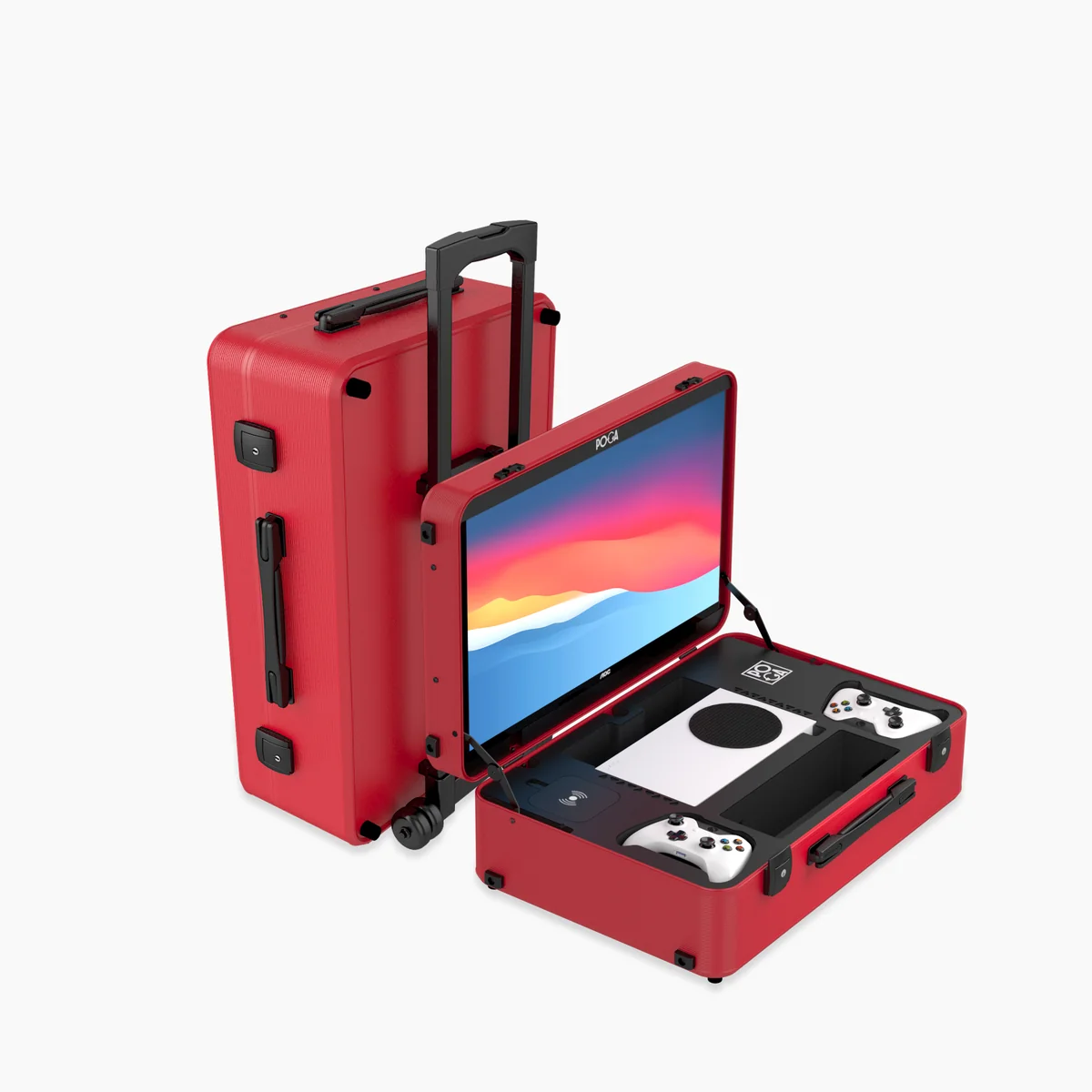
Key Features to Look for in a Portable Gaming Station
Not all portable gaming stations are created equal. Understanding the features that matter most will help you avoid buyer's remorse and find a station that truly fits your lifestyle.
Monitor Quality and Size
The monitor is the heart of the experience. Look for IPS panels for better color accuracy and viewing angles, minimum 1080p resolution, and higher refresh rates (180Hz) if you play competitive games. Larger isn't always better—balance screen size with case weight and portability.
Build Quality and Materials
Premium cases use aluminum frames, reinforced plastics, and high-quality locks. Check for shock-absorbing padding, water-resistant seals, and durable latches. The difference between a $200 case and a $400 case is often the difference between "survives a trip" and "survives years of travel."
Cable Management and Connectivity
Look for cases with organized cable routing, multiple HDMI ports, USB pass-throughs, and power management systems. Good cable management means faster setup and fewer tangles, while multiple connectivity options support various controllers and peripherals.
Weight and Portability
A portable gaming station that stays at home isn't portable. Consider your actual use case—if you're flying with it, prioritize weight. If it's mostly car travel, sturdiness matters more than feather-light construction. Most quality models weigh between 15-30 lbs when fully loaded.
Console Compatibility
Verify exact compatibility with your specific hardware. A case built for PS5 Disc Edition won't work for the Digital version. Check if the case accommodates your preferred controllers and any accessories you plan to carry—some don't have space for extra power supplies or headsets.
Power Supply and Battery
Some premium models include built-in batteries to power the monitor during transport or short gaming sessions without wall access. Others rely entirely on external power. For travel gamers, battery support can be a major convenience factor, though it does increase weight and cost.
Who Should Buy a Portable Gaming Station?
The best investment depends on your lifestyle, not just your budget. Here's a breakdown of who benefits most:
College and University Students
Moving between dorms, apartments, and home every year makes a portable station invaluable. It doubles as secure storage in a dorm room while providing a complete setup for gaming sessions with friends.
Frequent Travelers and Digital Nomads
If you travel for work, spend time in different cities, or are constantly on the move, a portable station lets you maintain your gaming hobby without compromise. Road trips, extended stays at hotels, or time at vacation homes all become viable gaming destinations.
Esports and Tournament Players
Competitors attending LAN events, tournaments, or gaming conventions benefit enormously from their own display and setup. You're not dependent on tournament-provided monitors or setups, and your equipment travels safely and reliably.
Military Personnel and Deployed Services
For those serving abroad or stationed away from home, a portable gaming station provides familiar entertainment and a morale boost. The protective case ensures your console survives military transport and housing changes.
Families with Multiple Homes
Families splitting time between a primary home and a vacation property don't need two console setups. One portable station can serve both locations and comes along on family trips or weekend getaways.
Content Creators and Streamers
Portable stations offer flexibility for on-location streaming, creating content at events, or taking your studio on the road. The integrated monitor provides a self-contained setup that travels as one cohesive unit.
Stationary Gamers Seeking Premium Storage
Even if you never move your station, the protective storage and organized cable management provide value. It keeps your console dust-free, safe from pets and children, and ready to deploy quickly when needed.
Setup, Maintenance, and Best Practices
A portable gaming station isn't just buy-it-and-forget-it. Here's how to get the most out of your investment:
Initial Setup and Break-In
Allow time for the first unboxing and setup. Check all connections, test the monitor, and verify that your console fits securely. Some foam may initially be tight—this is normal and ensures maximum protection. Adjust any removable dividers to suit your cable and controller storage needs before your first trip.
Ongoing Maintenance
Clean the monitor screen with a microfiber cloth regularly. Check all hinges, latches, and wheels for wear, especially after travel. Inspect foam padding for compression or damage. Keep the case dry and store it in a climate-controlled environment when not in use. Replace any worn cables or connectors promptly to avoid gaming downtime.
Packing Tips for Travel
Even though the station is designed for travel, proper packing extends its lifespan. Don't overstuff compartments—compression damages foam padding and can push the monitor against the lid. Use cable organizers to keep wires from tangling. Place heavier items on the bottom. If flying, keep the station with you as carry-on luggage when possible; baggage handling can be rough.
Temperature and Moisture Protection
Electronics and moisture don't mix. Store your case in a dry location, avoid leaving it in hot vehicles for extended periods, and never game in extremely humid environments without proper ventilation. In cold climates, allow electronic components to warm up before powering on after transport.
Warranty and Support
Register your portable gaming station for warranty coverage and familiarize yourself with what's covered. Most warranties cover manufacturing defects but not damage from misuse or accidents. Keep your purchase receipt and documentation in case you need support. Quality manufacturers offer responsive customer service for cable replacements or component issues.
Real-World Use Cases: Where Portable Gaming Stations Shine
Understanding how gamers actually use portable stations can help you decide if one fits your lifestyle:
Weekend Gaming Meetups
A group of friends coordinates a gaming weekend at a cabin or rental house. Instead of everyone bringing their console and hoping for available TV space, one or two portable stations go in the car and provide complete setups on arrival. Setup takes 10 minutes instead of an hour of cable hunting.
Split Custody Gaming Setup
A young gamer splits time between two homes. Instead of console at one place and missing games at the other, a portable station travels between both homes, providing consistent access to their games and friends regardless of location.
Military Deployment
Stationed overseas or in temporary housing, a service member carries a portable gaming station as familiar entertainment and stress relief. The protective case ensures it survives transport, and the self-contained setup works in any room.
Content Creator's Mobile Studio
A streamer uses a portable station to create content at gaming events, conventions, or other venues. The integrated monitor and built-in storage for microphone, lighting, and controllers make on-location streaming feasible without excessive setup complexity.
Family Game Nights
A family with kids wants gaming sessions that don't tie up the living room TV. A portable station sets up in the basement or game room, providing an independent gaming space that doesn't conflict with family entertainment schedules.
Frequently Asked Questions About Portable Gaming Stations
Do portable gaming stations work with any console?▼
Most are designed around specific hardware, so check the listed compatibility for your exact console model (including Slim or Pro versions) before buying. Universal cases exist but typically sacrifice the snug, protective fit that model-specific cases offer.
Can I use a portable gaming station with a gaming PC?▼
Yes, though PC-focused stations are usually built differently than console cases, since they need to accommodate a tower, extra ports, and often more robust ventilation for cooling. PC-specific models like the POGA Max offer superior compatibility and cable routing for desktop gaming rigs.
Are the built-in monitors as good as a regular TV or monitor?▼
They are built for portability first, so don't expect flagship TV picture quality. That said, many now offer solid 1080p resolution and respectable refresh rates that are more than capable for both casual and competitive play. Premium models achieve display quality comparable to mid-range gaming monitors.
Is a portable gaming station worth it if I don't travel much?▼
Even for gamers who stay put, these cases double as secure, dust-proof, kid- and pet-proof storage — which alone justifies the purchase for a lot of households. They also provide organization and protection that extends your console's lifespan significantly.
What's a reasonable price range for portable gaming stations?▼
POGA's own lineup runs from €469 for the entry-level Arc up to €3,999 for the PC-focused Max, with most console models between €969–€1,899 depending on display and features.
How long do portable gaming stations typically last?▼
With proper care, a quality portable gaming station lasts 5-10 years or longer. The case itself is virtually indestructible, but the monitor and electronics may eventually need replacement. Most manufacturers support parts availability and repairs for extended periods after purchase.
Can I return or exchange a portable gaming station if I don't like it?▼
Most retailers offer 30-day return policies on portable gaming stations. Some manufacturers provide satisfaction guarantees if the case doesn't fit your console as advertised. Always check return policy before purchasing, as price points and specific models may vary.
The Bottom Line: Is a Portable Gaming Station Right for You?
A portable gaming station is not a necessity, but for a growing segment of gamers, it's a game-changer. If you travel frequently, split time between locations, attend gaming events, or simply want your expensive hardware properly protected and ready to go on demand, these cases deliver on their promise: genuine plug-and-play gaming freedom.
The market has matured significantly. Quality options exist at multiple price points, designs accommodate different console and PC configurations, and manufacturers stand behind their products. The worst-case scenario is rarely a bad experience—it's usually just "this wasn't the right solution for my specific needs," which is information worth having before purchase rather than after.
Start by identifying your primary use case—console-specific portability, PC flexibility, family storage, or tournament travel—then match that to the models in this guide. You'll find a portable gaming station that fits your life, your budget, and your gaming style. Whether you're a mobile gamer seeking ultimate flexibility or a stationary player prioritizing premium storage, the portable gaming station category has evolved to meet diverse needs.
Compare every model in the full POGA guide.