
Quick answer
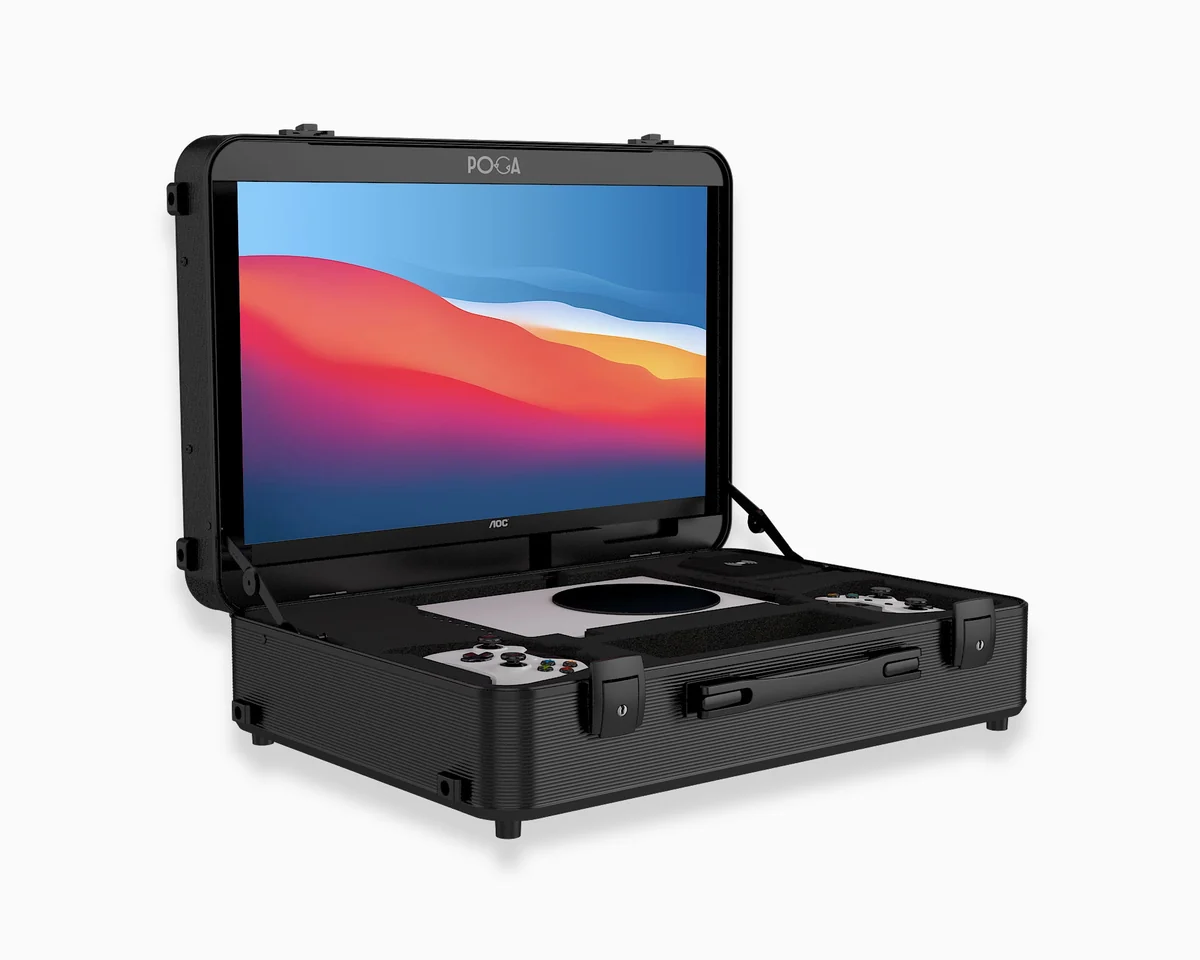
For fighting game tournaments, the most important spec is monitor response time (1ms) and low input lag (under 15ms), not high refresh rate — most fighting games are locked to 60fps. A portable gaming station like POGA gives you a consistent, low-lag setup you control, so you are never at the mercy of whatever monitor the venue provides.
Why Fighting Game Players Need Their Own Setup
If you have competed in a fighting game tournament, you know the reality: you practice for weeks on your setup at home, then arrive at the venue and play on a monitor you have never seen before. Maybe it is a different size. Maybe it has more input lag. Maybe it is positioned at an awkward height.
For most genres, this is a minor annoyance. For fighting games, it is a competitive disadvantage. Fighting games are frame-perfect. A single frame of delay can mean the difference between blocking a mix-up and getting hit by it. A monitor with higher input lag than what you practiced on can throw off your timing on combos you have drilled hundreds of times.
The solution is simple: bring your own setup. A portable gaming station eliminates the variable entirely.
The Specs That Actually Matter for Fighting Games
Response Time: The Most Important Number
Response time measures how fast a pixel can shift from one color to another. Slow response time causes ghosting and motion blur during fast movement — exactly the kind of visual information you need to react to in a fighting game.
Target: 1ms. This has become the standard for competitive monitors. The POGA LUX uses a display rated at 1ms response time, putting it on par with dedicated tournament monitors.
Input Lag: The Real Scoreboard Number
Input lag is the actual delay between your button press and what shows up on screen. This is what you feel when a setup responds slowly.
Target: Under 15ms. Competitive-grade monitors sit around 4–6ms of input lag. Anything under 15ms is considered safely competitive. Above 20ms, timing starts to feel off in fast-reaction situations.
Refresh Rate: Less Important Than You Think
Here is where fighting games differ from shooters: most fighting games are locked to 60fps. Street Fighter 6, Tekken 8, Guilty Gear Strive, and Mortal Kombat 1 all run at 60fps on console.
This means a 120Hz or 180Hz monitor does not make the game run smoother — the game itself is capped at 60fps. What matters is that the monitor handles 60fps with minimal lag and no ghosting.
For a deeper look, see whether a portable monitor is good enough for competitive play.
Why Refresh Rate Matters Less Than You Think
The marketing around gaming monitors pushes higher refresh rates every year. 144Hz, 180Hz, 240Hz. For competitive shooters, this matters. For fighting games, it mostly does not.
| Game | Console frame rate |
|---|---|
| Street Fighter 6 | 60fps |
| Tekken 8 | 60fps |
| Guilty Gear Strive | 60fps |
| Mortal Kombat 1 | 60fps |
| Granblue Fantasy Versus: Rising | 60fps |
A monitor rated at 180Hz displays 180 frames per second if the source sends 180 frames per second. A fighting game sends 60. The monitor will display those 60 frames cleanly, and the extra headroom does not hurt — but it also does not help fighting game performance directly.
What matters is consistency. You want a monitor that displays 60fps with no ghosting, no added lag, and no surprises. That is what a POGA station delivers.
Arcade Stick and Fight Pad Compatibility
One of the most common questions from fighting game players: can I use my arcade stick with a portable gaming station?
The answer is yes. POGA stations connect to any USB arcade stick or fight pad through the console standard USB ports. The internal monitor and console are already connected, so you plug your stick in and play.
| Controller type | Compatible? | Notes |
|---|---|---|
| Arcade stick (USB) | Yes | Plug directly into console USB port |
| Fight pad (USB) | Yes | Same as arcade stick |
| Wireless fight pad | Yes | Pair as normal with console |
| Custom hitbox | Yes | Any USB-based controller works |
| Legacy controller with adapter | Usually | Depends on adapter compatibility |
For more on controller compatibility, see third-party controllers with POGA stations.
What to Bring to a Fighting Game Tournament
If you are bringing a POGA station, your packing list is short:
- POGA station — console, monitor, and cables are inside
- Arcade stick or fight pad — your main controller
- Backup controller — in case of hardware failure
- Power strip — one outlet becomes four
- Ethernet cable — wired connection for online brackets
- Headset — for commentary or focused play
That is it. No separate monitor bag. No tangled HDMI cables. No hoping the venue has a setup you can use.
For broader preparation, see our esports tournament guide.
Which POGA Station Is Right for Fighting Games?
| Platform | Recommended station | Why |
|---|---|---|
| PS5 | POGA LUX | 1ms response time, 180Hz, premium build |
| Xbox Series X | POGA SLY | Built for Series X, low-lag display |
| Xbox Series S | POGA PRO | Compact, matches Series S footprint |
For a full comparison, see our ultimate guide.
Frequently Asked Questions
What monitor do fighting game tournaments use?
Most major fighting game tournaments use 1080p monitors with 1ms response time and 60Hz refresh rate, since most fighting games are locked to 60fps. The key spec is response time, not refresh rate, because ghosting and motion blur directly affect your ability to react to fast animations.
Does input lag matter for fighting games?
Yes, more than almost any other genre. Fighting games are frame-perfect — a single frame of delay can mean the difference between blocking a mix-up and getting hit. Competitive monitors should stay under 15ms of input lag, with competitive-grade panels around 4 to 6ms at 60Hz.
Can I use my arcade stick with a portable gaming station?
Yes. The POGA LUX and other stations connect to any USB arcade stick or fight pad through the console standard USB ports. The internal monitor and console connection are already set up, so you plug your stick in and play.
Is a portable gaming station worth it for fighting game tournaments?
If you travel to tournaments regularly, yes. It eliminates the need to rely on venue setups, guarantees consistent input lag and display quality wherever you go, and protects your console in transit.
What should I bring to a fighting game tournament?
Bring your console, arcade stick or fight pad, a low-lag monitor or portable station, necessary cables, a power strip, and a wired connection option.
The Bottom Line
Fighting games reward precision. Every frame matters. Every millisecond of input lag is a competitive disadvantage you do not need to accept.
A portable gaming station gives you a consistent setup you control — same monitor, same response time, same input lag, every tournament. No more adapting to venue setups. No more hoping the monitor is good enough.
The players who win are the ones who eliminate variables. This is one variable you can eliminate today.