
How to Play PS5 or Xbox in a Hotel Room: Complete Traveler's Guide (2026)
The POGA Team designs and builds premium portable gaming stations in Germany, trusted by athletes, celebrities, and gamers worldwide.
Quick answer
You can play PS5 or Xbox in a hotel room, but it depends on the hotel TV. Many hotel TVs are locked in hotel mode, which blocks input switching and prevents external devices from connecting. The most reliable solution is bringing your own display — a portable gaming station like POGA includes a built-in monitor, so you never depend on the hotel's TV at all.
The Hotel TV Problem
If you've tried to connect a console to a hotel TV, you already know the frustration. You plug in the HDMI cable, switch inputs, and… nothing. Or the TV is mounted in a way that blocks the ports entirely. Or the remote doesn't let you change inputs at all.
This isn't a malfunction. It's hotel mode.
Many hotels configure their TVs to lock input sources, disable HDMI ports, or hide them behind wall-mounted enclosures. This is deliberate — it prevents guests from tampering with hotel systems and reduces support calls.
The result for gamers: you cannot assume any hotel TV will work with your console. Some will. Many won't. And you won't know until you're in the room.
There are three practical approaches to gaming in a hotel room. Only one of them is reliable.
Option 1: Connect to the Hotel TV (If You Can)
When it works, this is the simplest option. You connect your console to the hotel TV, switch to the right HDMI input, and play.
What you need:
- An HDMI cable
- A console
- A controller
- A power source (usually available)
What usually goes wrong:
| Problem | Frequency | Why |
|---|---|---|
| Input switching disabled | Common | TV locked in hotel mode |
| HDMI ports blocked | Common | Wall-mounted enclosure |
| TV too small or poorly positioned | Common | Often 32" mounted high on wall |
| Only composite/coax inputs available | Occasional | Older hotel TVs |
| TV lacks game mode | Occasional | Adds input lag |
Honest assessment: It's worth trying, but you should not count on it. Bring a backup plan.
Option 2: Bring Your Own Display
This is the reliable option. Instead of depending on the hotel TV, you bring your own display.
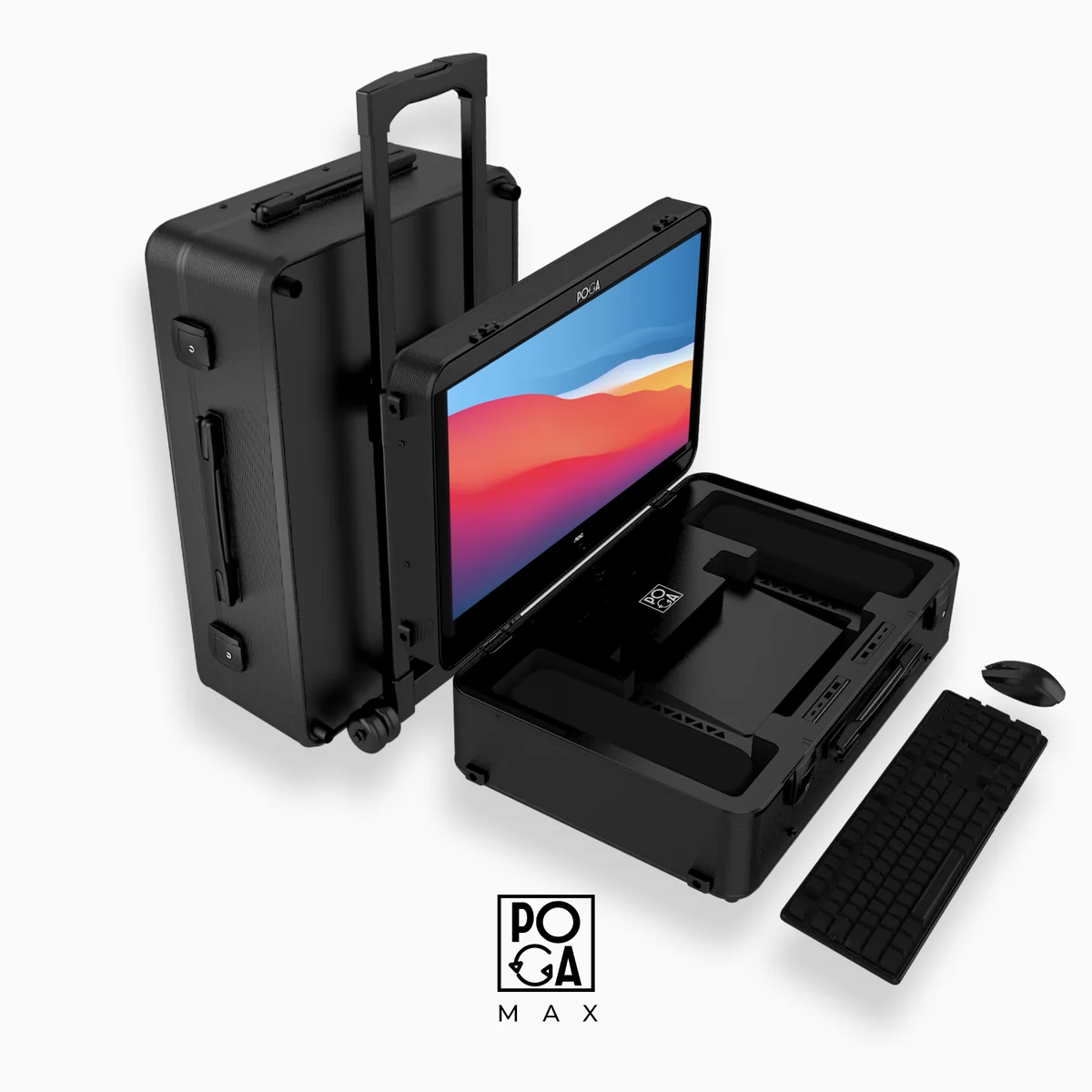
The best version of this is a portable gaming station — a case that integrates your console, a monitor, and all the necessary cables into one unit.
A POGA station does exactly this. Here's why it works for hotel rooms:
It eliminates the hotel TV variable entirely. You're not hoping the TV has an accessible HDMI port. You're not fighting with the remote to switch inputs. You open the case, plug in one power cable, and play.
It sets up in under five minutes. No unpacking multiple bags. No cable tangles. The console and monitor are already connected internally.
It works anywhere with a power outlet. Hotel desk, bed, floor, airport lounge, train seat — if there's power, you can play.
It protects your console in transit. Hotel travel involves flights, cars, and luggage handling. A rigid case with molded compartments protects the console in ways a backpack never will.
For a deeper look at durability and protection, see our post on how durable a portable gaming station really is.
Option 3: Use Remote Play (And Why It Usually Disappoints)
Both PlayStation and Xbox offer remote play — streaming games from your home console to a laptop, tablet, or phone over the internet.
The appeal: No console to pack. Just your laptop or tablet.
The reality: Remote play depends entirely on the hotel's Wi-Fi, which is often slow, unstable, or both. Input lag is usually noticeable. Video quality is often degraded. For slower-paced games, it can work. For anything requiring fast reactions — shooters, fighting games, racing — it's usually unplayable.
Verdict: Remote play is a fallback, not a solution. It's better than nothing, but it's not the same as playing on real hardware.
What to Pack for Hotel Gaming
If you're bringing a POGA station, your packing list is short:
| Item | Why |
|---|---|
| POGA station | Console, monitor, and cables are inside |
| Controller(s) | Stored in the case, but bring a spare |
| Headset | For game audio and to avoid disturbing neighbors |
| Power strip | Hotel outlets are often scarce |
| Ethernet cable | For wired internet if the hotel offers it |
| HDMI cable | Backup if you want to try the hotel TV |
For a broader list of travel essentials, see our airplane travel guide.
Which POGA Station Is Right for Hotel Gaming?
| Platform | Recommended Station | Why |
|---|---|---|
| PS5 | POGA LUX | 23.8" display, 180Hz, premium build |
| Xbox Series X | POGA SLY | Built for Series X |
| Xbox Series S | POGA PRO | Compact, matches Series S footprint |
| PC / Laptop | POGA MAX | Active cooling for PC hardware |
For a full comparison, see our ultimate guide to portable gaming stations.
Frequently Asked Questions
The Bottom Line
Hotel gaming comes down to one question: do you want to depend on the hotel TV, or do you want to bring your own setup?
Depending on the hotel TV means hoping the inputs work, the remote cooperates, and the display is usable. Sometimes it works. Often it doesn't.
Bringing your own setup means the hotel TV is irrelevant. You open the case, plug in, and play — the same way you would at home. That's what a portable gaming station delivers.
For travelers who game regularly, this isn't a luxury. It's the difference between gaming on the road and not gaming at all.
Compare POGA stations for PS5, Xbox, and PC