
LAN Party Checklist 2026: What to Bring (And Why a Portable Station Wins)
POGA Team
The POGA Team designs and builds premium portable gaming stations in Germany, trusted by athletes, celebrities, and gamers worldwide.
Quick answer
The essentials for any LAN party are your console or PC, a monitor or display, controllers, cables, a power strip, and a way to carry it all safely. A portable gaming station like POGA consolidates your console, display, cooling, and cable management into one protected case.
Why LAN Party Prep Is Harder Than It Looks
If you've been to a LAN party before, you know the drill. You spend an hour unplugging your setup at home, carefully wrapping cables, packing your console in a bag with a towel for padding, and hoping nothing breaks in transit. You arrive, spend another 30 minutes finding a spot, untangling cables, and realizing you forgot the power strip.
The problem isn't that LAN parties are complicated. It's that transporting a full gaming setup was never designed to be portable.
The Complete LAN Party Checklist
Core hardware
| Console or gaming PC | The obvious one | PS5, Xbox Series X|S, or your rig |
| Monitor or display | You can't game on a TV you don't have | 1080p 120Hz is the sweet spot for console |
| Controllers | Bring a spare if you have one | Wireless + charging cable |
| Headset | Game audio + party chat | Wired avoids pairing issues |
| Keyboard & mouse | Essential for PC players | Wireless can have latency |
Cables, comfort, and protection
Bring an HDMI cable and spare, power cables, controller charging cable, Ethernet cable, extension cord, power strip, snacks and water, a small toolkit, and a cable organizer. For transport, add a dedicated console travel case, padded monitor sleeve, and optional bag lock.
The Real Problem: Transporting All of This
One bag for the console, one for the monitor, one for cables and accessories, and one hand for the power strip leaves zero hands for the door. You arrive looking like you're moving apartments. Somewhere in that chaos, something gets dropped, tangled, or forgotten.
Why a Portable Gaming Station Changes Everything
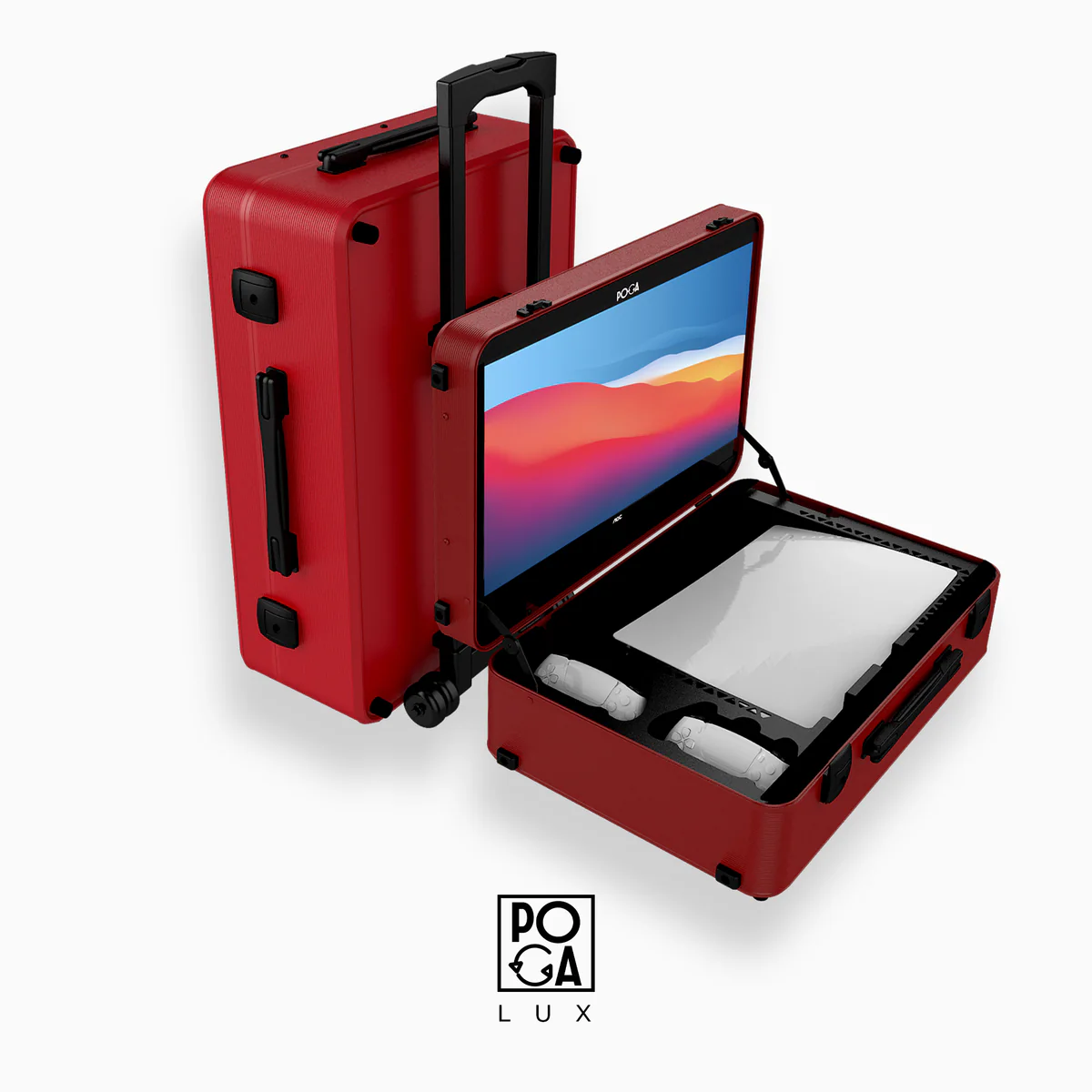
A portable gaming station like the POGA LUX integrates the console, monitor, cooling, and cable management into a single protected case.
One case, everything inside
| Traditional setup | POGA setup |
| Console in one bag | Console secured inside the case |
| Monitor in another bag | Monitor built into the case lid |
| Cables in a third bag | Cables stored in dedicated compartments |
| Did I bring the HDMI? | HDMI is already connected internally |
Setup time: minutes, not half an hour
A traditional setup means finding a spot, unpacking, connecting HDMI and power, pairing your controller, finding an outlet, and untangling everything. A POGA setup means opening the case and plugging in one power cable.
Protection that actually protects
POGA cases use a rigid outer shell, molded internal compartments, and patented air circulation to protect hardware during transit and extended play. For more detail, see our durability guide.
LAN Party Checklist: The POGA Version
Your list shrinks to a POGA station, controller(s), headset, power strip, Ethernet cable, snacks, and water. Everything else is already handled.
Which POGA Station Is Right for Your LAN Party?
| PS5 | POGA LUX | 23.8-inch display, 180Hz, premium build |
| Xbox Series X | POGA SLY | Built for Series X, 120Hz+ display |
| Xbox Series S | POGA PRO | Compact, matches Series S footprint |
| PC / Laptop | POGA MAX | Active cooling for PC hardware |
| PS5 (4K) | POGA YEZ | 4K display for maximum visual fidelity |
For a full comparison, see our ultimate guide.
Frequently Asked Questions
The Bottom Line
A LAN party checklist is really a test of how well you've solved the transport problem. You can carry five bags and spend 30 minutes setting up, or bring one case that's already set up.
Compare POGA stations